Projects
Projects

I design end-to-end product experiences and the UX systems that sustain them — from early foundations through growth, optimization, and scalability.
Celigo was a Series B SaaS startup, and I was the first product designer. The platform’s success depended on enabling customers to build and maintain complex data integrations independently, without relying on professional services. Its current Gartner position was Niche, though it would move to Leader.
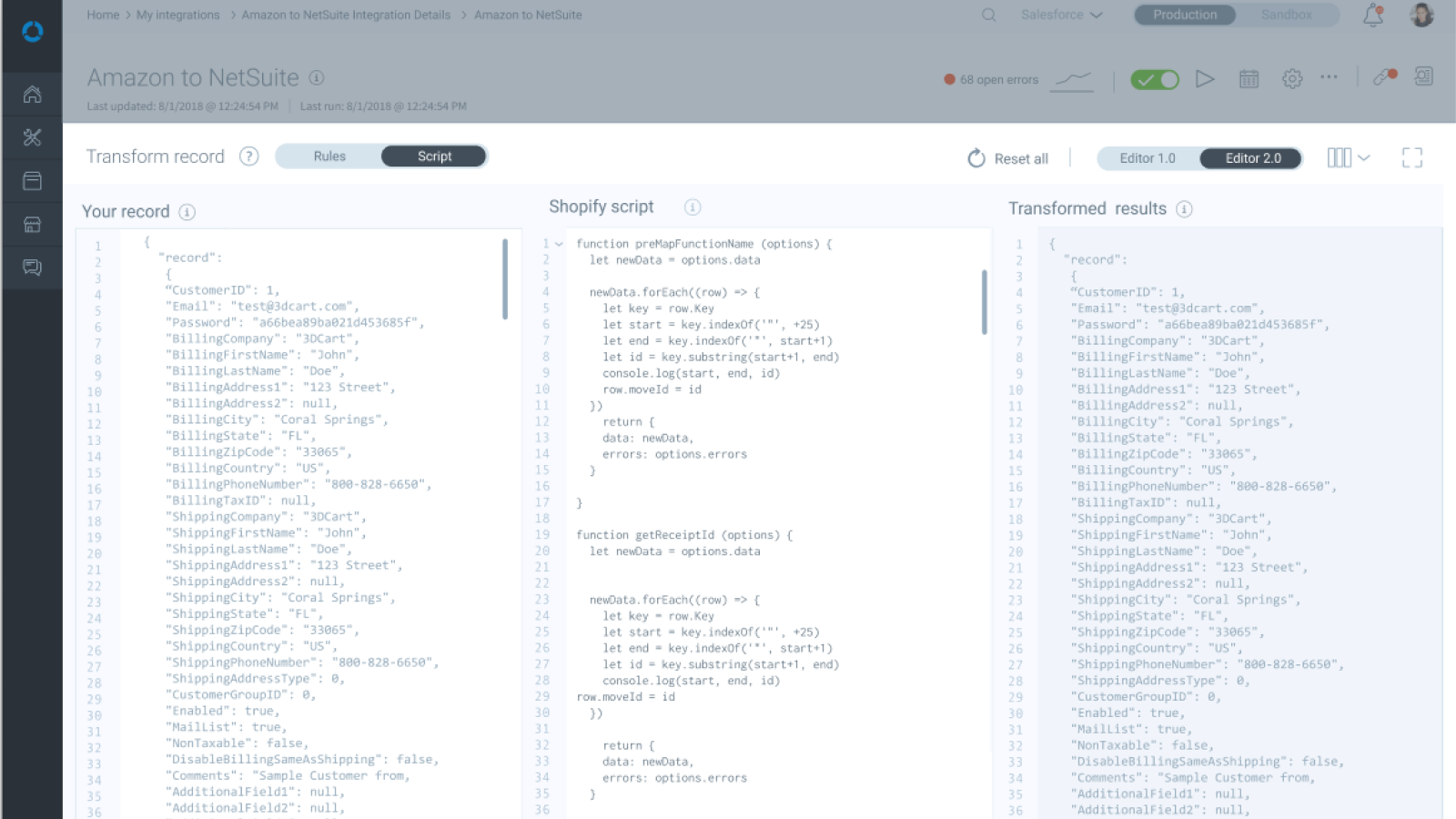
Flow creation was the core of the product’s value, but developers needed to write external scripts to perform advanced data transformation. In order to keep developers in the platform, as well as enable them to test their scripts directly in their flows, we needed to add a robust code editor.
The platform had no way to write or test scripts in-product, forcing developers into external tools and breaking their workflow. Expectations were high—most users relied on VS Code, and the editor needed to support complex JSON structures, linting, error visibility, and debugging without overwhelming business users.
I conducted research with developers, studied leading editors like VS Code, and identified an exhaustive list of scripting use cases. I then distilled this into a focused, high-impact feature set: IntelliSense, JSON structure handling, auto-formatting, tag/handlebar autoclose, linting, in-line error indicators, search/replace, reference panels, layout options, and more—all within a streamlined UI aligned to the platform’s mental model.
The result: a code editor purpose-built for complex data transformation inside an enterprise automation platform—powerful enough for engineers, but approachable for non-developers.'
Users needed to see what their work was doing. The editor supported a multi-panel UI where they could:
This reduced guesswork and let users validate logic in seconds instead of testing in production.
Users could see what their data looked like, as well as their script, then view how that impacted the data going out. They could also search within each panel, copy, switch displays and modes, and cancel script changes.
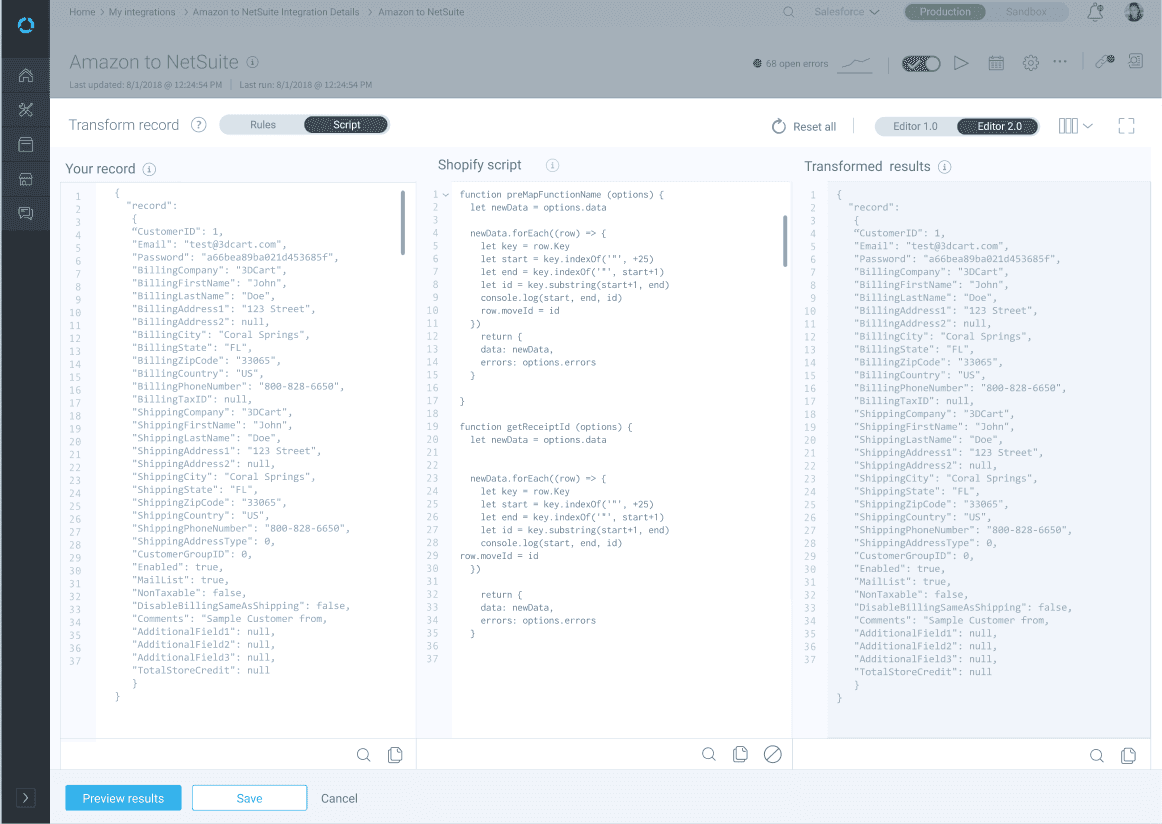
Not every user wanted to write code, nor did every flow require complex data transformation. I designed a Rules mode that let users map fields visually without scripting, making data transformation accessible to business and operations users.

Users could also write XML template and preview how the data would be impacted.

In addition to inline help while scripting, a later iteration provided available functions, fields, lookups and more, further eliminating guesswork.
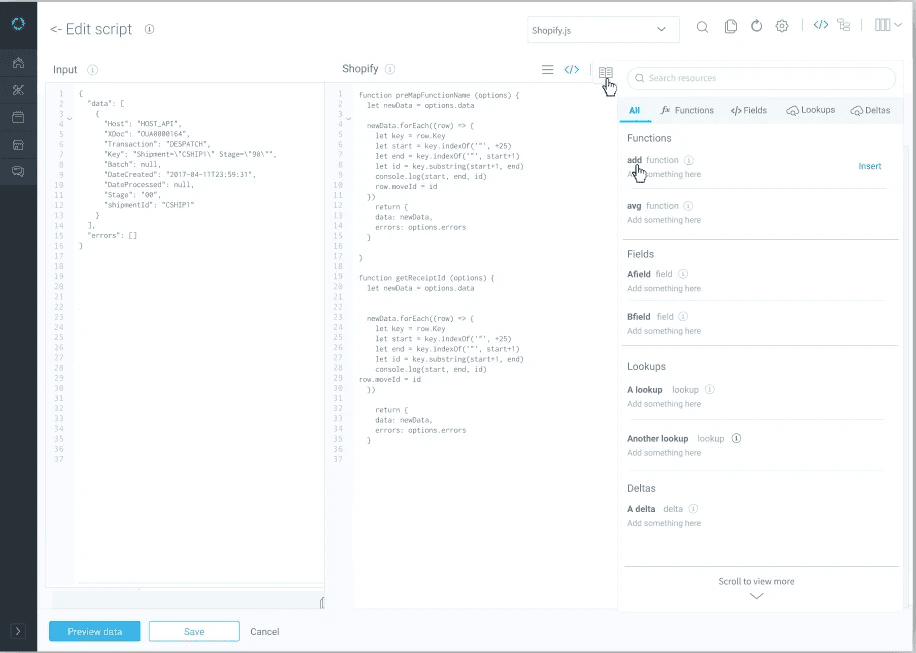
Users could choose to see changes as they coded or only preview changes on-demand. Inline help guided users through exactly the formatting they needed to use, eliminating guesswork.

Users could switch their data view from expanded to collapsed JSON representations.

We were able to move away from the large toggle switches between editor modes and rules/scripts view in favor of an icon toolbar. Users could switch from scripting to rules mode.

The new editor:
It transformed scripting from trial-and-error into a guided, efficient, and confident experience—directly improving implementation success and platform adoption.
