Projects
Projects

I design end-to-end product experiences and the UX systems that sustain them — from early foundations through growth, optimization, and scalability.
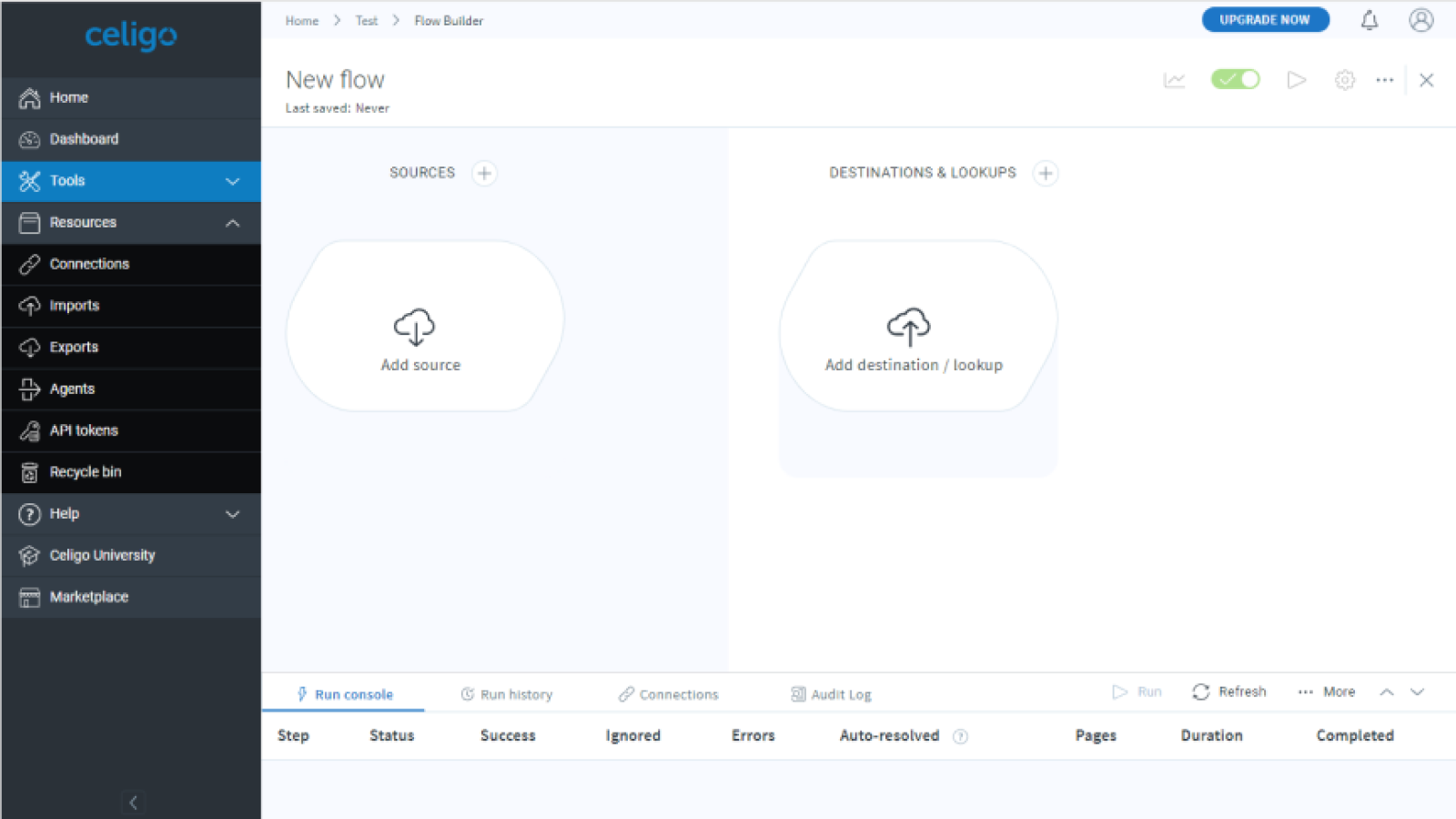
Celigo was a Series A SaaS startup, and I was the first product designer. The platform’s success depended on enabling customers to build and maintain complex data integrations independently, without relying on professional services. Its current Gartner position was Niche, though it would move to Leader.
Flow creation was the core of the product’s value, but it relied on a series of complex forms to connect data. The flow builder itself was in alpha state, but needed to become the core way users built and evolved flows.
Flow creation was the core of the product’s value — yet it was one of the most confusing and restrictive areas of the platform. Before the redesign:
"Building flows was like trying to navigate a maze in the dark" - Developer, GoDaddy
There was no guidance to get started, check your work, or troubleshoot flows.
I shifted the interaction model away from “configure everything first” to “start building immediately,” reducing time-to-first-value dramatically. This included removing the forced step to authenticate an application in the flow, so that users could now map out flows visually before dealing with authentication. This unlocked flow creation for business and technical users alike, promoting flow creation and expansion.
I redesigned the early prototype into a scalable, intuitive builder designed for complexity:
Users could now see what was wrong, what was missing, and what to do next, instead of building blind.


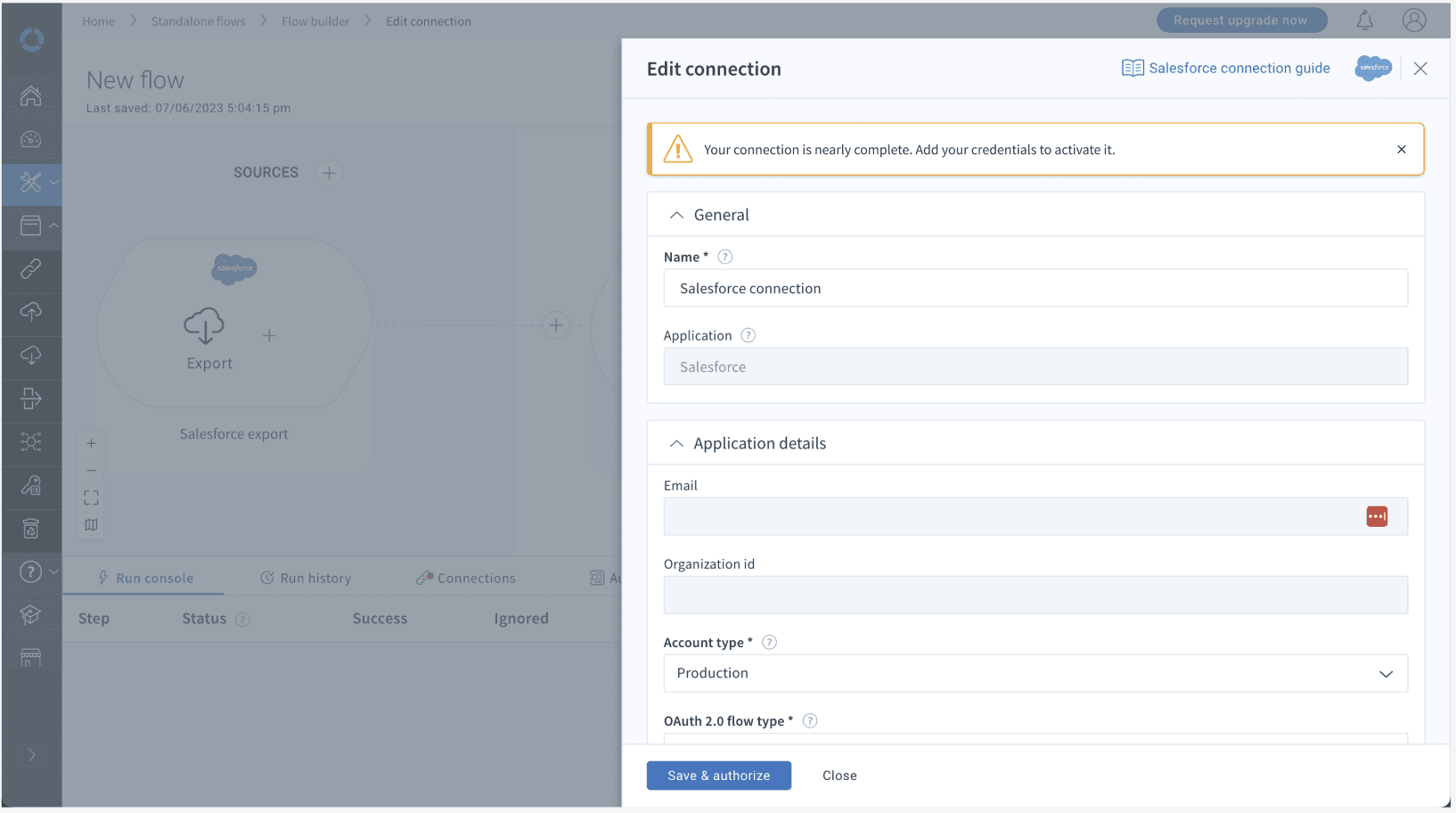

Previously many of these controls were on the canvas with no labels. It was difficult to know what to do next, and business users weren't familiar with terms such as "lookup". This organized all actions, defined them, and provided guidance on the scenarios in which it could be used.

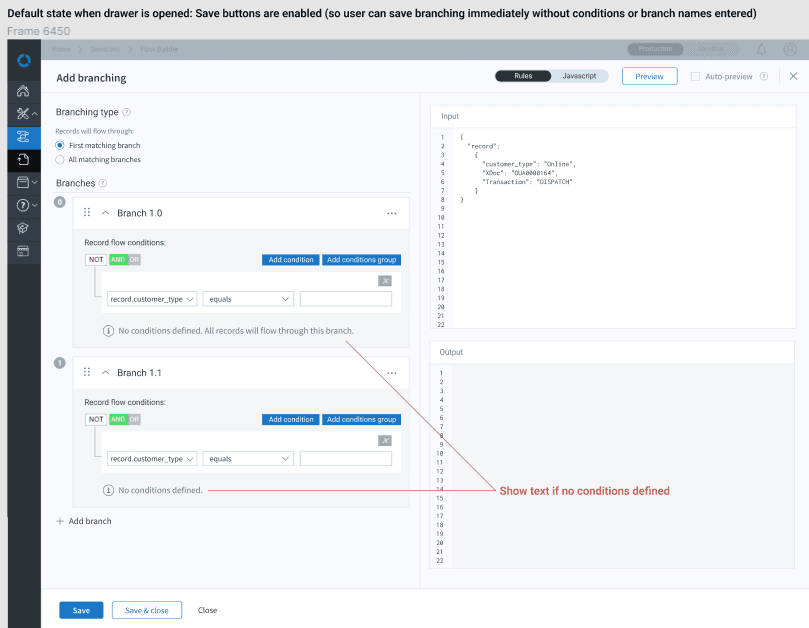
User research revealed customers were faking the concept of branching using filters. This introduced:
This enabled real decision logic.


To prevent hours of blind trial-and-error, I added:
This aligned the builder with modern workflow-automation expectations.
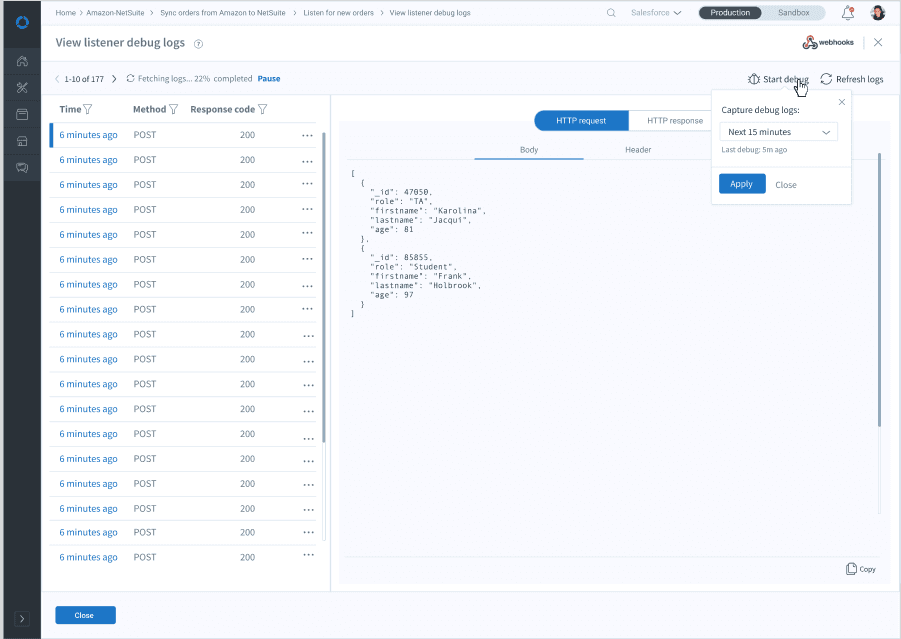
Previously, users had no idea what ran, when, or why it failed.
I introduced a run console with:
Less common functions were tucked away; core insights were front and center.
Users could finally:
This paved the way for copy-flow functionality and dramatically reduced rebuild effort.
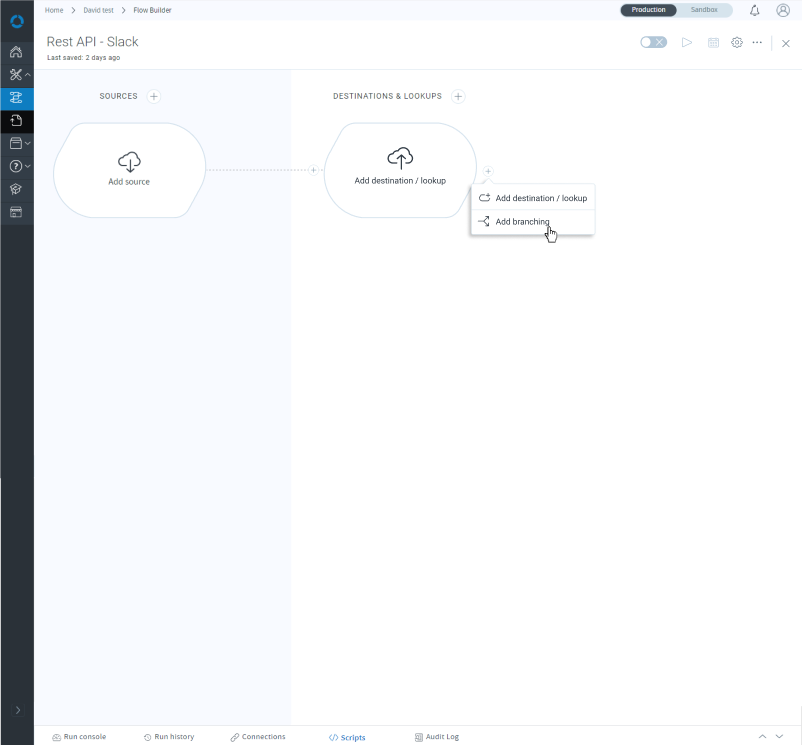
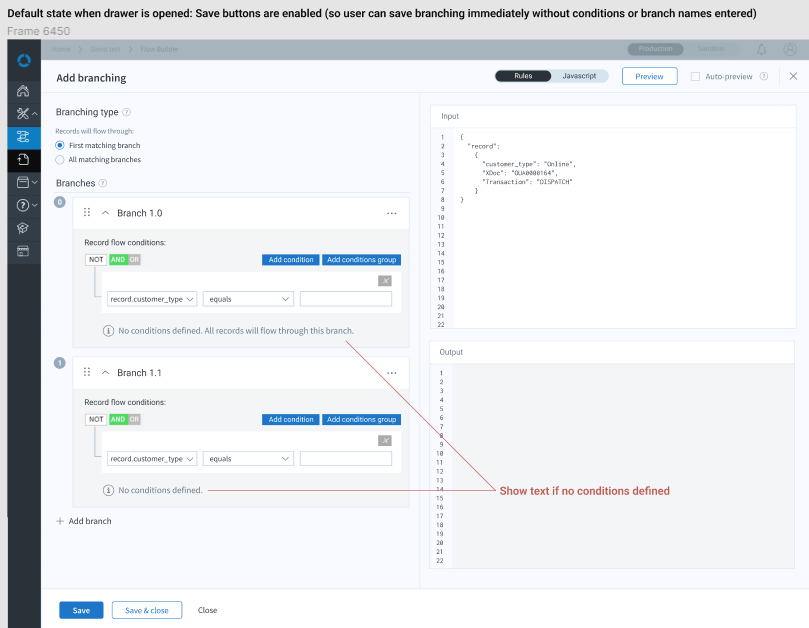
Each branch could be configured andinput/output checked before running flows. Note: The logic builder widget is third-party and could not be modified within the project scope.
This error resolution console enabled users to get all information about an error, make adjustments to retry data in place, save changes, retry, resolve, and move to the next item. Previously, messages were truncated, they could not edit retry data, you could only resolve one error at a time, you couldn't retry an error, you couldn't see HTTP request and response, and much more, so this was a vast improvement.
The CTO said my error management revolutionized the platform and one customer said I should get a raise!

